17 gateways · 30 currencies · one dashboard
Your payment gateways. One simple dashboard.
Gateways like Razorpay, PhonePe and Stripe collect money from your customers. ZopPay connects your store to them once, lets you switch between them any time, and shows every payment in one place.
- No setup fee
- Try it free in test mode
- Pay only on successful payments


How a payment moves
ExampleOne path, through your gateway. Switch it whenever you like.

- 01
Your customer pays at your checkout
With most gateways, your checkout sends the customer to the gateway's own secure page, then straight back to your store.
- 02
ZopPay uses your active gateway
You pick one active gateway for each currency, in test and in live. Every payment goes through it.
- 03
The gateway pays your bank
With your own gateway account, the gateway settles straight into your bank. ZopPay never holds your money.
- 04
Switch in a couple of clicks
Turn one gateway off and another on in your dashboard. The next payment uses the new one, with no code change.
Works with 17 gateways

























 Soon










Checkout
Your customers pay the way they already do. On your gateway's own secure page.
With most gateways, your checkout sends the customer to the gateway's own secure page, then straight back to your store. They pay with what your gateway offers, such as UPI, cards, netbanking and wallets.
- Card numbers never reach ZopPay's servers.
- Test mode uses a built-in test gateway, free.
- Every payment shows up in your dashboard.

Gateways
Works with the gateways you already use. 17 and counting.
Already have an account with a payment gateway? Keep it, along with the rates you agreed. ZopPay works with gateways in India, the Gulf, Southeast Asia and worldwide, in 30 currencies.
- Gateways
- 17
- Currencies
- 30
- Regions
- 4
Your customers pay with the methods your gateway offers, such as UPI, cards, netbanking, wallets, EMI and pay later.
See every gateway and currencyHow it works
From sign-up to your first payment. Most of it happens in your dashboard.
Examples with sample data, with Razorpay as the gateway
Step 1: Try it in test mode
Sign up and make a test payment from your dashboard. No code, no gateway account and no real money needed.

Step 2: Connect your gateway
Copy the keys from your Razorpay, PhonePe or other gateway account into ZopPay. We check that nothing is missing and that test and live keys aren’t mixed up, then store them encrypted.
Step 3: Go live
Your developer connects your website or app to ZopPay once. Accept the terms, add your billing details and tax ID, and you’re live. There’s no waiting for approval from us.
Step 4: Take payments
Your customer pays on Razorpay’s secure page, and Razorpay pays the money into your bank on its usual schedule. You follow each payment in your dashboard, from paid to matched with its payout.



Built for Indian businesses
Made for businesses that sell online. From a first website to a busy brand.
D2C brands: take payments on your own website through the gateway you choose, and switch gateways later without changing your checkout.
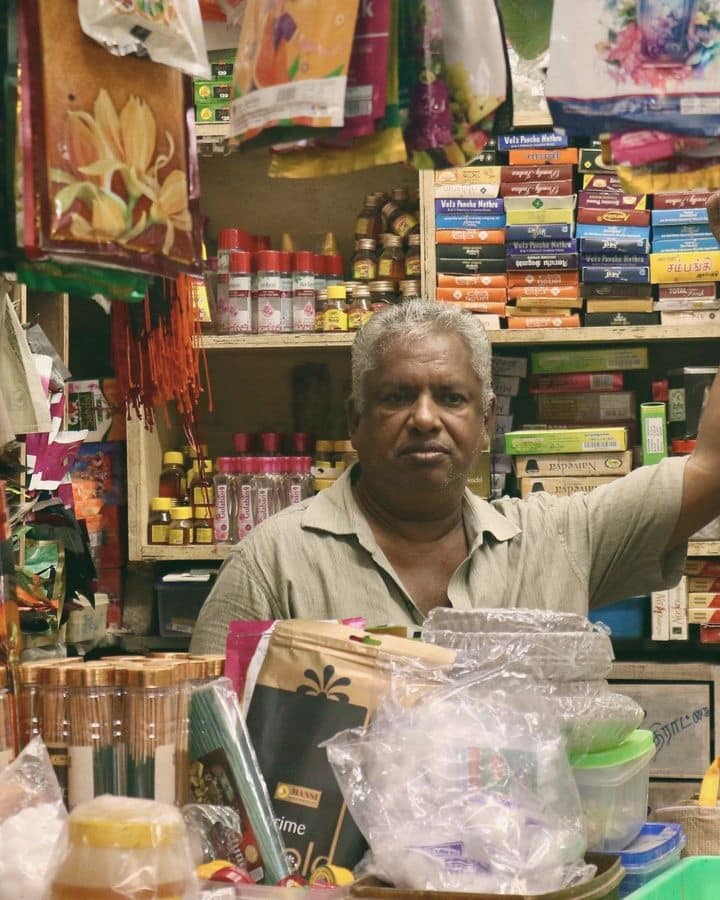
Illustrative photos. Examples with sample data.
Shops that sell online too
Take orders on your own website, and refund all of a payment or just part of it in two clicks.

Restaurants and cafés
Customers pay for online orders by UPI, cards, netbanking or wallets, whichever your gateway account offers.

Salons, clinics and services
With your own gateway account, the gateway pays your bank directly. ZopPay never holds your money.


One dashboard
Every payment, every gateway, one list. Whichever gateway took it.
See payments from all your gateways in one place, refund a customer in two clicks, and download spreadsheets for your accountant. Test payments are kept separate, so they never mix with real ones.
Examples with sample data
Switch gateways in a couple of clicks. Your checkout stays the same.
If a gateway is having a bad day, or another one offers you a better rate, switch to it in your dashboard. Your next payment goes through the new gateway, with no changes to your website or app.
SettingsGatewaysINRINR gateways (example) Gateway Status Taking payments Razorpay Taking payments Cashfree Off PhonePe Off Next INR payment: Razorpay
Example. You turn the current gateway off, then another one on. Try a toggle.
- Gateways you switch off keep their saved details, ready to switch back.
- Coming soonAutomatic switching to the cheapest gateway.

17gateways you can connect
Bring the gateways you already use.
Connect them once, and their payments show up together in your dashboard.
Test payments kept apart.
Try anything without touching real money. Make a test payment from your dashboard, with no gateway account needed.
PaymentsTest mode- Test mode is free.
- Test payments are kept separate, so they never mix with real ones.
Refund all or part of a payment.
Open a payment in your dashboard and refund all of it or just part, in two clicks. The money goes back to your customer through the gateway that took it.
Payments#1047Partially refunded- Refunds go through the gateway that took the payment, even after you switch.
- TechProcess payments are refunded from TechProcess’s own panel.
Every payout checked against your sales.
Each day we compare your gateway's payout report with your payments, so you can see which payments have been paid out to you correctly.
PaymentsRazorpay4 reconciled- Matched payments are marked reconciled in your dashboard, and anything that doesn't match is flagged to the ZopPay team.
- Payout reports are checked for Razorpay, Cashfree, PayU, Paytm, Stripe and PayPal.

Customers pay on the gateway’s secure page.
With most gateways, checkout sends your customer to the gateway’s own secure page, then straight back to your store.
Payment updates you can trust.
Every payment update ZopPay sends to your website carries a signature, so a fake one can be spotted. If your website doesn’t answer, it’s sent up to six times: at once, then after 1 minute, 5 minutes, 30 minutes, 2 hours and 12 hours.
WebhooksRecent deliveriesSignedReady for your accountant.
Download payments and refunds as a spreadsheet, whichever gateway took them.
Reports1–17 Oct


Security
With your own gateway account, your money never passes through us. Card numbers never reach us.
How money moves
Money goes straight to you
With your own gateway account, the gateway pays your bank directly. ZopPay never holds your money.
Card numbers stay with your gateway
Card details go from your customer straight to the gateway's secure form. They never reach ZopPay's servers.
Gateway keys locked away
The keys you connect from your gateway are stored encrypted, never as plain text.
Passwords never stored as written
Passwords and ZopPay API keys are stored scrambled, in a way that can't be turned back into the original.
Payment updates you can trust
Every payment update ZopPay sends to your website carries a signature, so a fake one can be spotted.
Your data stays in your account
Your payments, customers and settings are kept to your own account, and ZopPay staff access is logged.
Pricing
Pay only on successful payments. No setup fee.
Your gateway charges its own fee, as it does today, under your contract with it. ZopPay’s fee is 1.75% of each successful payment, plus applicable taxes. Failed or abandoned payments cost nothing.
1.75%
per successful payment, plus applicable taxes
- No setup fee
- Test mode is free
- Failed payments are free
- Your gateway contract stays yours

Fee example
Example- Successful payments
- ₹10,00,000
- ZopPay fee (1.75%)
- ₹17,500
- Your gateway’s fee
- As per your contract,paid to the gateway
- Failed payments
- ₹0
Illustration only. Applicable taxes are added to the ZopPay fee.
For developers
A one-time setup. Easy for your developer.
Your developer connects your site to ZopPay once, using our API and ready-made checkout page. The docs walk through every step, with examples in Node.js, Python, PHP, Go, Ruby and Java.
- Test keys from your dashboardCreate them in your dashboard and build before you connect a live gateway.
- Payment updates, retried for youSigned webhooks, sent up to six times until your site answers. Recent deliveries are listed in your dashboard.
- Clear, honest docsA quickstart, step-by-step guides and a full reference.

Go live
LiveThree steps, then your account switches to live on its own.
- Step 1: Accept the termsRead and acceptedDone
- Step 2: Add billing detailsAddress and GSTINDone
- Step 3: Connect a live gatewayRazorpay, live keysDone

Pending payments
Payment stuck on pending? ZopPay asks your gateway for you.
Every 5 minutes, ZopPay checks payments that are still pending with the gateway, so your dashboard shows whether the money came through.
For payments 10 minutes to 7 days old, on every gateway except TechProcess (checksum version).
Questions
New to online payments? Start here.
What is a payment gateway?
It is the company that actually collects money from your customers, by UPI, card, netbanking or wallet, and pays it into your bank. Razorpay, PhonePe, Paytm and Stripe are payment gateways. ZopPay connects your website or app to them and keeps every payment in one place.
Do I need my own gateway account?
Yes, to take real payments. Use an account you already have, or open one with any of the 17 gateways we work with. Your contract and rates stay between you and the gateway. You can try ZopPay in test mode before you have one.
Does my money pass through ZopPay?
No. When you connect your own gateway account, the gateway pays your customers’ money straight into your bank account, on its usual schedule. ZopPay receives the payment’s status and records, not the money.
Do I need a developer?
Only once, to connect your website or app to ZopPay. After that, everything is done in your dashboard: connecting or switching gateways, refunds and downloading your payments.
What does it cost?
ZopPay charges 1.75% of each successful payment, plus applicable taxes. Your gateway charges its own fee separately, under your contract with it. There is no setup fee, test mode is free, and failed payments cost nothing.
How soon can I go live?
As soon as you have accepted the terms, added your billing details (address and tax ID, such as your GSTIN) and connected a gateway with its live keys. There is no approval wait on our side. Your gateway may need to approve your account with them first.
Can I change my gateway later?
Yes. Connect the new gateway, switch the old one off and the new one on in your dashboard. Your next payment goes through the new gateway, with no changes to your website. The old one keeps its saved details if you want to switch back.
Start with test mode today.
Sign up free, make a test payment from your dashboard and see how it works. Connect your gateway when you’re ready.